 ReviewChef
Reply to every guest review in seconds.
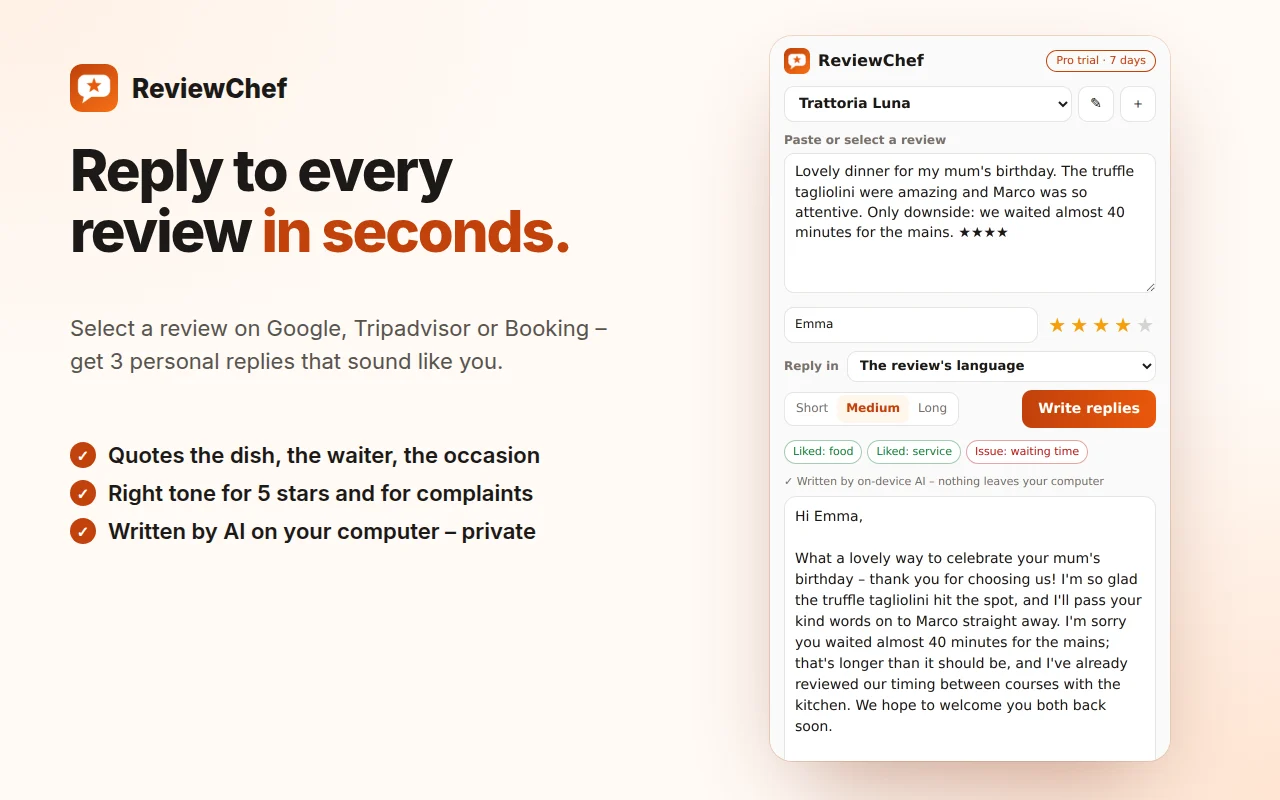
Select a review on Google, Tripadvisor or Booking and get 3 personal replies that quote the dish, thank the waiter by name and answer every complaint – in the guest's language. Written by the AI inside Chrome, on your own computer.
Free: 30 replies a month · Pro: unlimited replies and multiple venues · 7-day Pro trial
Replies your guests actually read.
Based on a study of 110 real restaurant reviews and the owner replies that worked – and the ones that didn't.
Specific, never generic
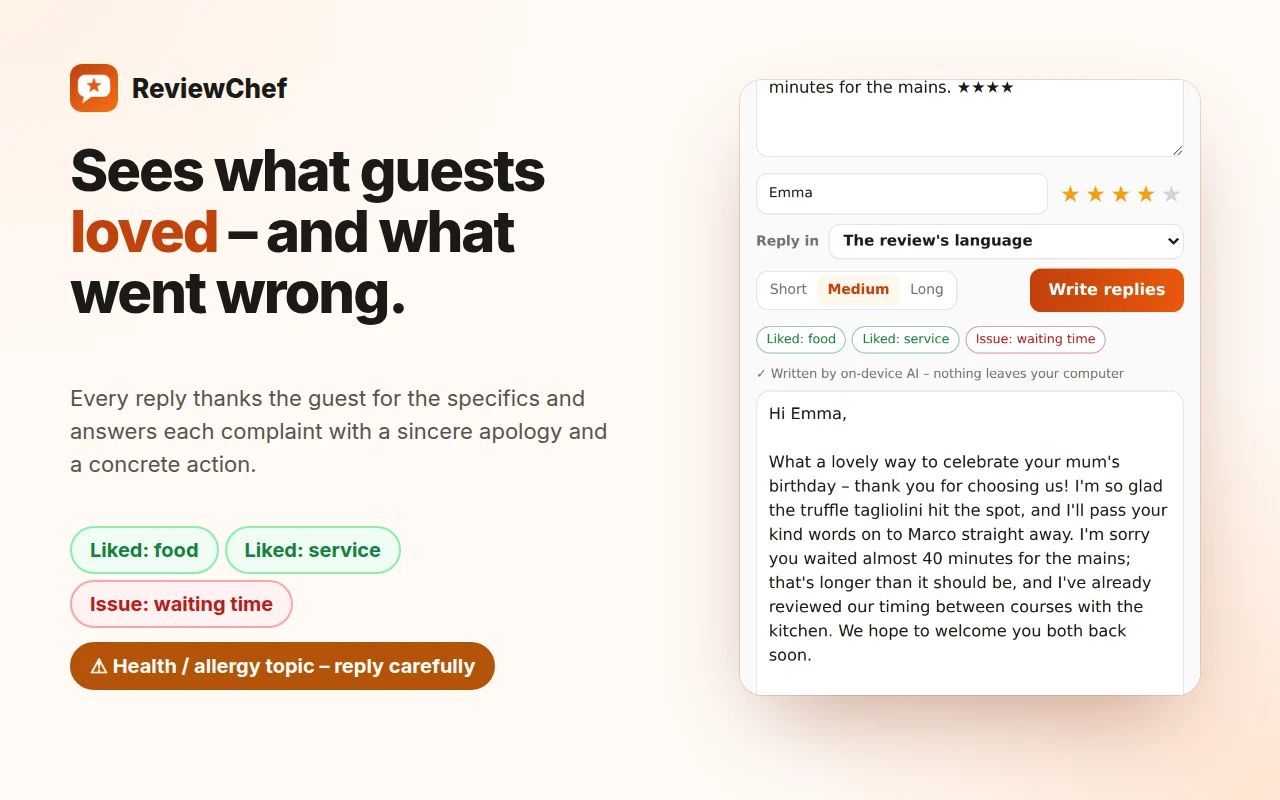
Every reply mentions what the guest wrote: the dish, the occasion, the staff member – no “thank you for your feedback” templates.
The right tone for each review
Warm thanks for 5 stars. For complaints: a sincere apology, one concrete action and an invitation to talk privately.
Careful with sensitive topics
Health, allergies or foreign objects get a calm reply that takes it seriously without admitting legal fault.
In the guest's language
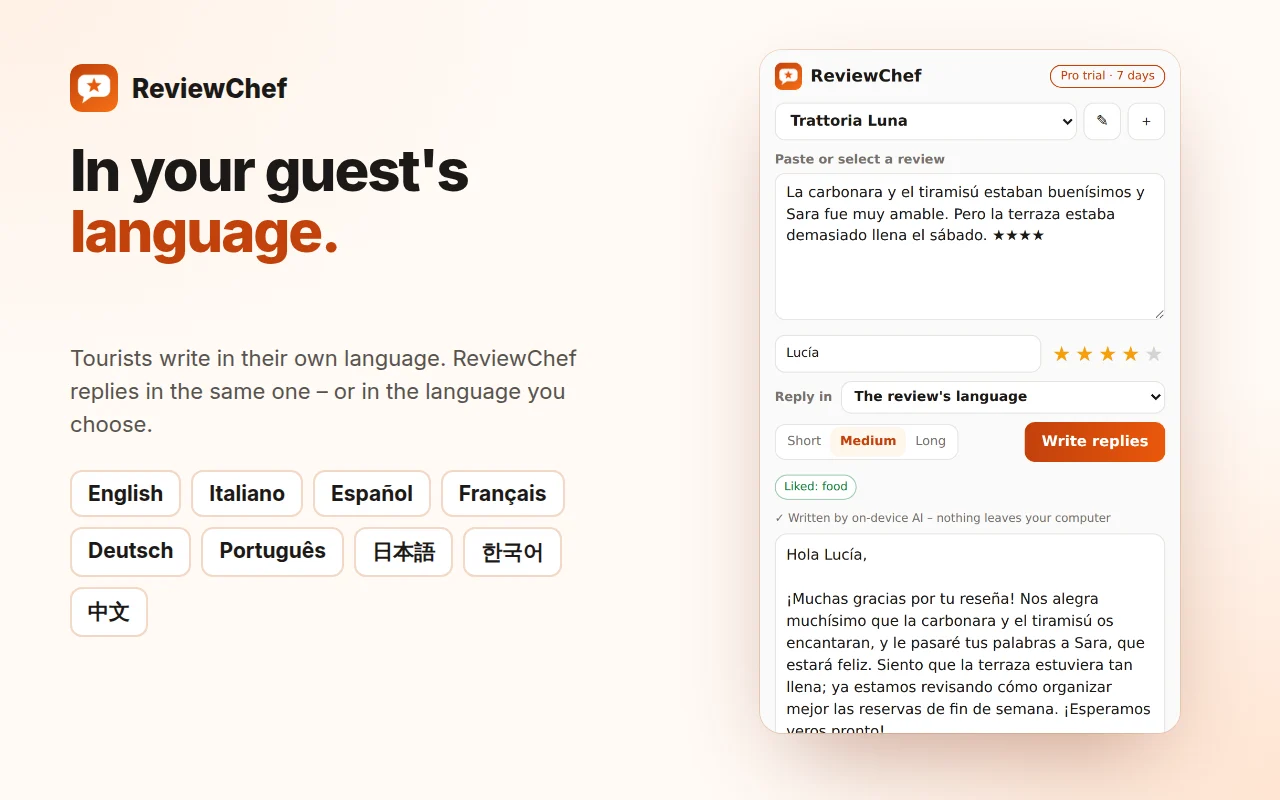
Replies in the review's language or the one you choose: English, Italian, Spanish, French, German, Portuguese, Japanese, Korean, Chinese.
Sounds like you
Set your venue once: who signs, the tone (warm, professional, playful), an email for unhappy guests, rules to always respect.
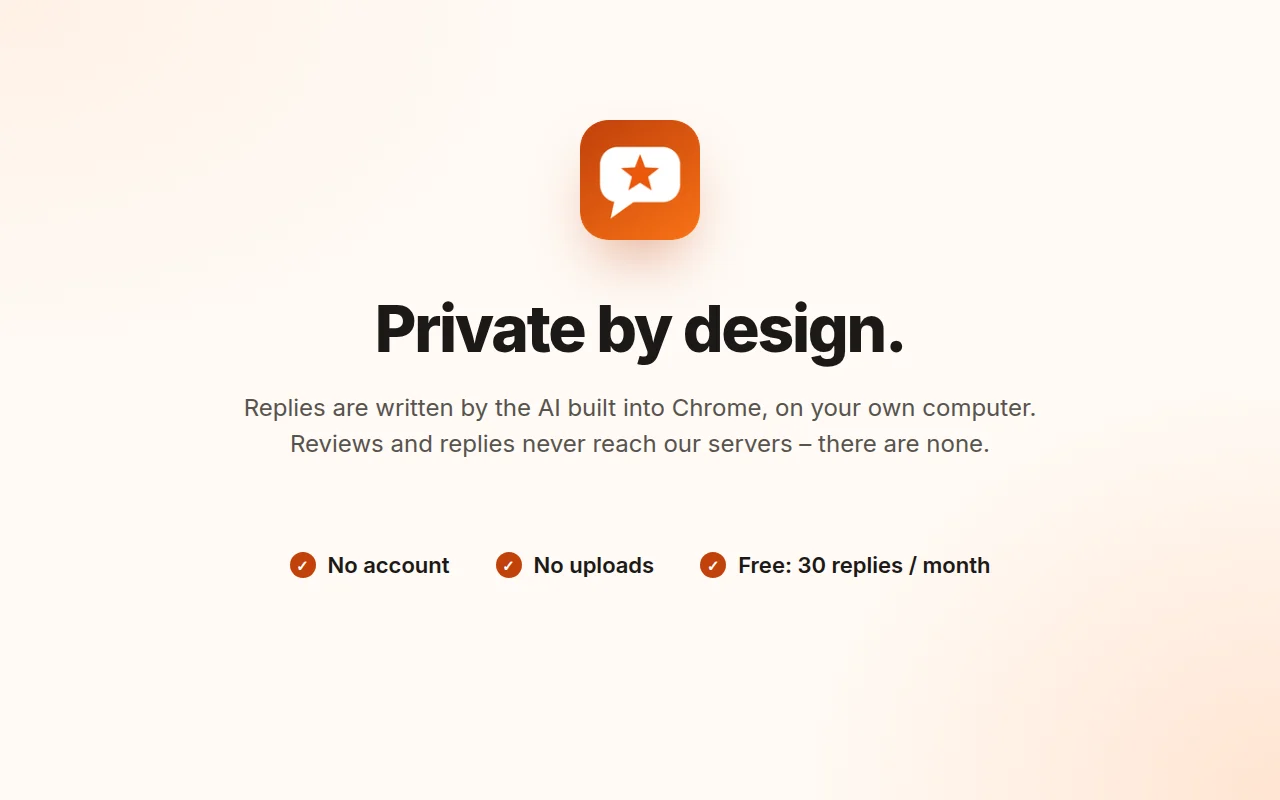
Private by design
The AI built into Chrome runs on your computer. Reviews and replies never reach our servers – there are none.
Three steps. Thirty seconds.
Name, who signs the replies, tone and an email for unhappy guests.
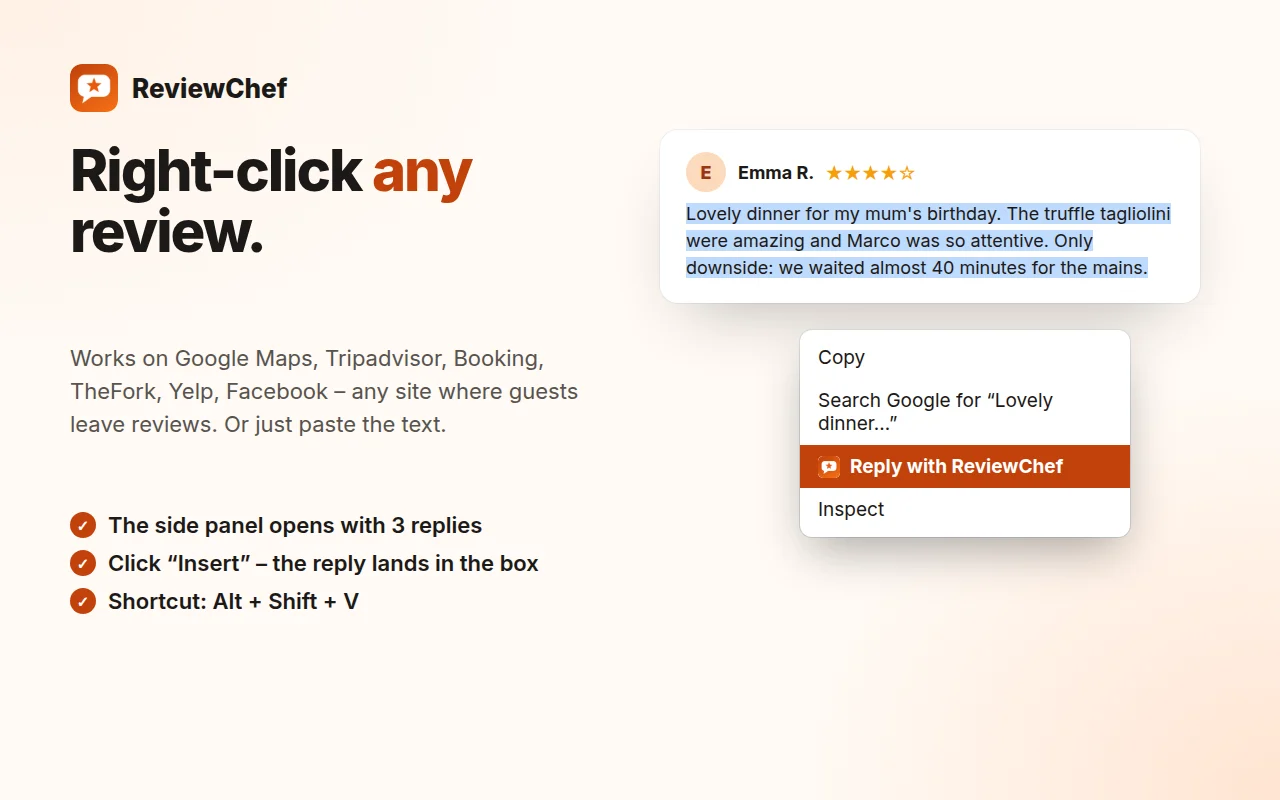
On Google Maps, Tripadvisor, Booking, TheFork, Yelp, Facebook – or paste the text.
Edit it if you like. It lands straight in the reply box.
See it in action
Questions
Which review sites does ReviewChef work with?
Any site you open in Chrome: Google Maps and Google Business Profile, Tripadvisor, Booking.com, TheFork, Yelp, Facebook, Airbnb and more. Select the review text and right-click, or paste it into the panel.
Does it post replies automatically?
No. ReviewChef writes the drafts; you choose one, edit it if you want, and post it yourself. You stay in control of every word.
Is it really private?
Yes. Replies are written by Gemini Nano, the AI built into Google Chrome, running on your own computer. Reviews and replies are never sent to us.
What does my computer need?
A recent version of Chrome on Windows, Mac or ChromeOS and some free disk space for the one-time AI download, which ReviewChef starts for you. On computers that can't run Chrome's AI, it uses smart reply templates.
Is answering reviews worth it?
Yes: research on Tripadvisor (Proserpio & Zervas, Marketing Science 2017) found that hotels that started replying received more reviews and slightly higher ratings.
How much does it cost?
Free for 30 replies a month and one venue. Pro adds unlimited replies and multiple venues, with a 7-day free trial.
Never leave a review unanswered again.
Made by a chef, for restaurants, cafés and hotels.